
You can share Evernote notes in seconds, yet some users choose the wrong option.
Whether you are new to Evernote or just want to see how to use it more effectively, my course “Evernote For Beginners” will help.

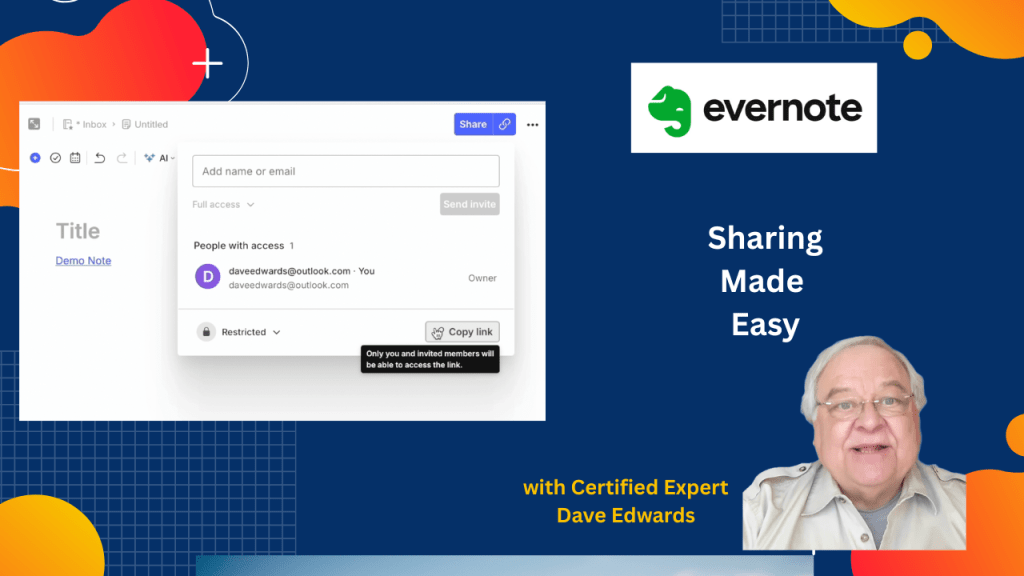
Evernote note sharing gives users control over how notes are accessed, edited, and distributed through a simple share button in the top right corner that opens options like inviting people by email, creating private or public links, and setting view or edit permissions so you can control collaboration in Evernote note sharing workflows, and this system is designed to balance privacy with flexibility while supporting productivity and client communication because a shared Evernote note can be limited to one person or opened through a shareable link that works in different access modes and the link structure uses a secure web format that starts with share.evernote.com and stays consistent even if permissions change, while visual indicators like green people icons and a blue globe icon help users quickly see whether a note is shared with specific individuals or open more widely, making Evernote sharing tools a key part of managing knowledge, teamwork, and secure document distribution in a productivity system.
- Evernote note sharing starts with the share button in the top right corner of the app.
- Evernote sharing lets you invite users by email for private note access control.
- Evernote note permissions can restrict access to a single person for secure collaboration.
- Evernote link sharing allows view-only or edit access depending on the setting chosen.
- Evernote share links use a secure format starting with share.evernote.com/note.
- Evernote link sharing keeps the same URL even when permission settings are updated.
- Evernote collaboration tools support copying and pasting note links into email or other notes.
- Evernote green people icons show that a note is shared with specific users.
- Evernote blue globe icons show that a note is shared more widely through a public link.
- Evernote productivity system design helps users manage secure sharing, teamwork, and knowledge organization.

Evernote sharing, Evernote note sharing, share Evernote notes, Evernote link sharing, Evernote collaboration, Evernote permissions, Evernote productivity, Evernote tips, secure Evernote sharing, Evernote tutorial


Leave a Reply